To raise a Support request via the Web Portal:
1 - Log into the online portal, open up an Internet browser and go to:
2 – Click on the Sign-In Button
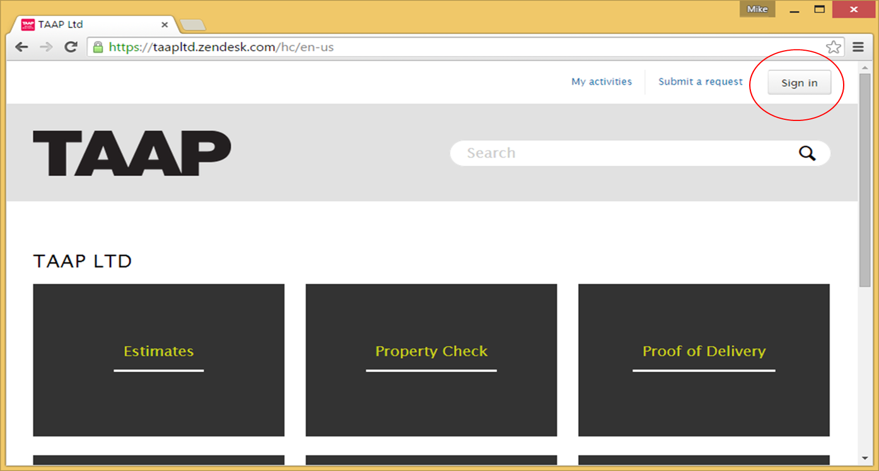
3 - Enter your USER NAME and PASSWORD, then click SIGN IN
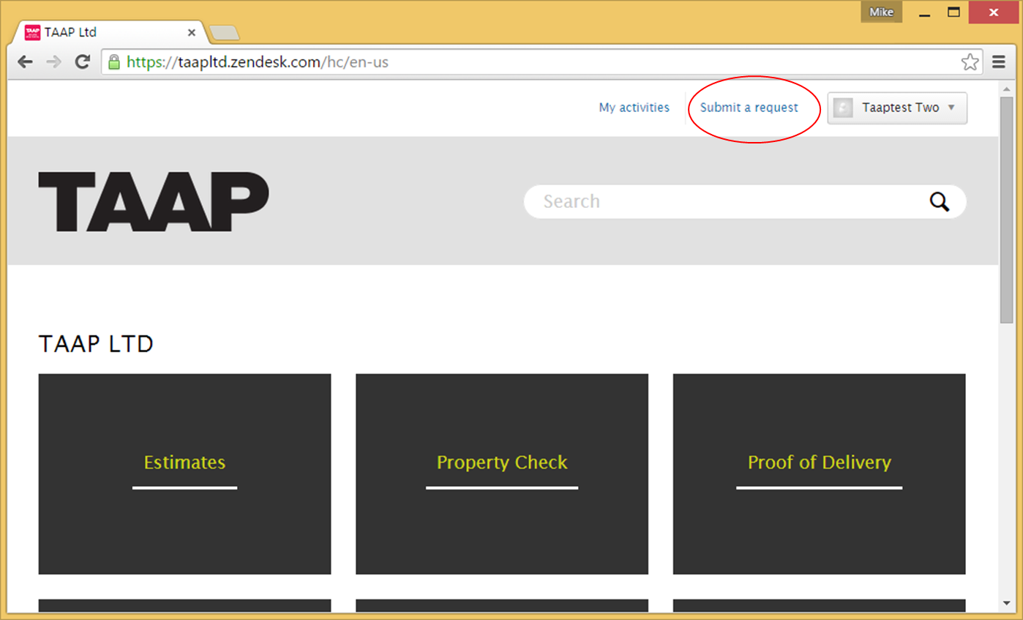
4 – Click “Submit a Request”
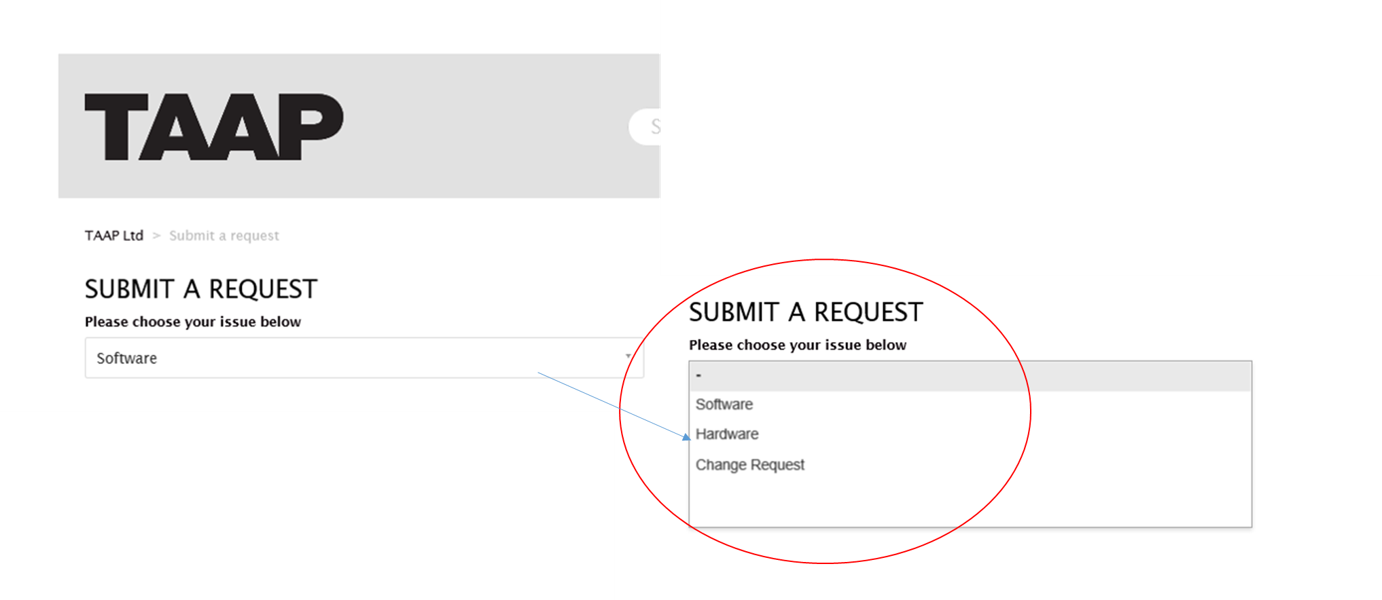
5 – Select subject of request from the dropdown list
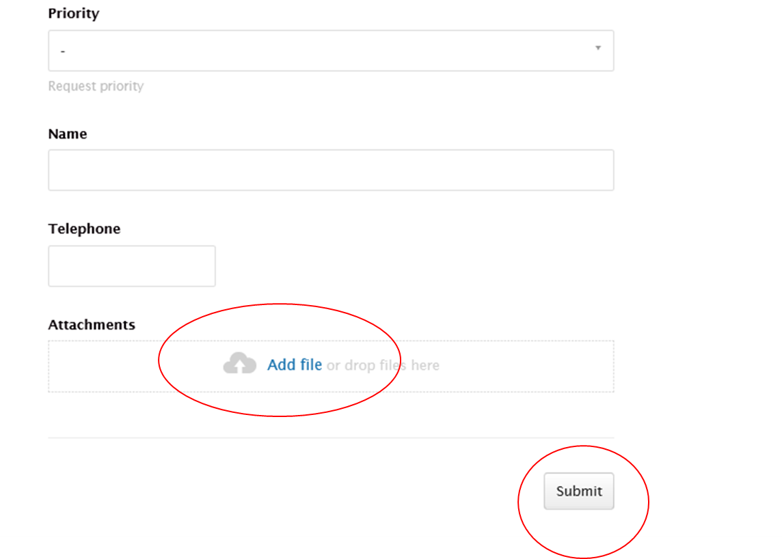
6 – Fill in your ticket request giving as much detail as possible and any specific error messages
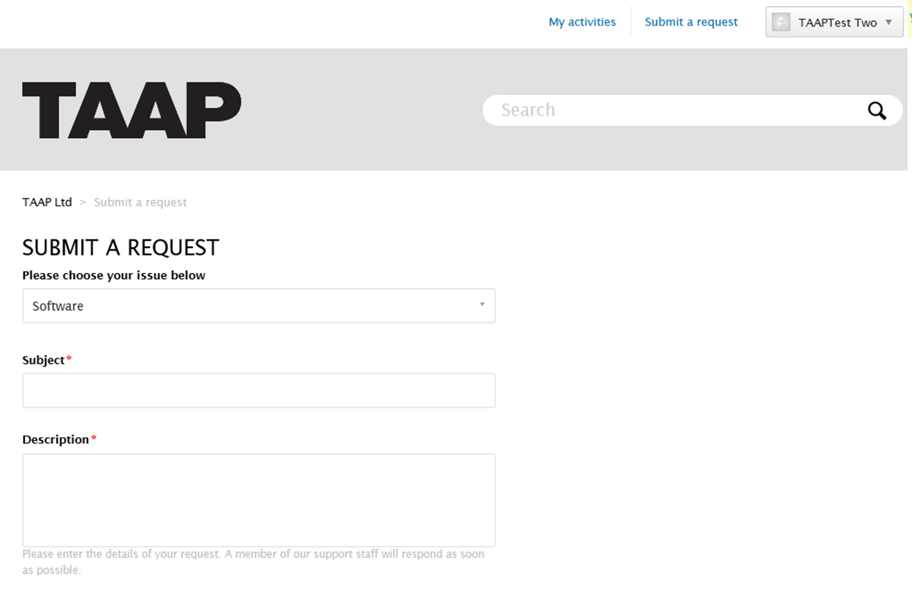
7 – Include screenshots, which can be attached. When the form is complete click on SUBMIT button
0 Comments